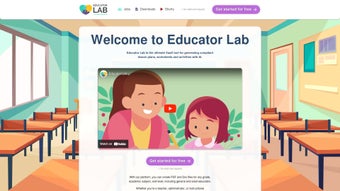

Download EducatorLab – AI‑Powered Lesson Planning Software for Teachers
Overview
EducatorLab is a cloud‑based, AI‑driven lesson‑planning platform that aims to eliminate the repetitive, time‑consuming tasks that most teachers face at the start of every academic term. Built by a team of educators and machine‑learning engineers, the service ingests the latest national, state and international standards, then uses a large‑language model to generate complete lesson outlines, worksheets, assessments and even differentiated activity bundles in a matter of seconds. The result is a secure, subscription‑enabled environment where teachers can produce standards‑aligned instructional materials without leaving their browser.
Whether you teach early‑grade mathematics, high‑school physics, or adult language acquisition, EducatorLab adapts its output to the grade level, subject matter and specific curriculum framework you select. The platform also offers a collaborative workspace, allowing multiple educators to co‑author, comment and refine plans in real time, fostering a community of practice that can scale from a single classroom to an entire district. A 14‑day free trial provides unrestricted access to the AI generator, resource library and analytics dashboard, so schools can evaluate the impact before committing to a paid plan.
Because everything lives in the cloud, lesson plans are automatically saved, versioned and encrypted, guaranteeing that data remains safe, FERPA‑compliant and available on any device—whether you work on a Windows laptop, a macOS desktop, an Android tablet or an iPhone. In short, EducatorLab combines artificial intelligence, standards compliance and seamless collaboration into a single, easy‑to‑use tool designed to reduce planning hours and raise instructional quality.
Key Features and Core Functionality
- AI‑Generated Lesson Plans: Enter a topic, grade level and target standard; the engine produces a complete, standards‑aligned lesson in seconds.
- Customizable Worksheets & Activities: Drag‑and‑drop editor lets you modify templates, add multimedia, and create differentiated tasks.
- Comprehensive Standards Library: Built‑in database of Common Core, NGSS, state standards and international curricula ensures automatic alignment.
- Collaboration Hub: Real‑time co‑authoring, commenting and sharing across teams, departments or whole districts.
- Resource Marketplace: Curated premium assets—including videos, assessments and project kits—available for instant download.
- Analytics Dashboard: Tracks usage metrics, student performance trends and content effectiveness to guide future planning.
- Secure Cloud Storage: All lessons are encrypted at rest and in transit, with automatic backup and offline caching options.
- Multi‑Platform Access: Fully responsive web app works on Windows, macOS, Linux, Android and iOS browsers.
- Free Trial & Tiered Pricing: 14‑day unrestricted trial followed by flexible subscription plans for individuals, schools or districts.
- Continuous Updates & Support: Ongoing AI model improvements, curriculum updates and 24/7 customer service.
Each feature is purpose‑built to address a specific pain point in modern education. The AI‑generated lesson plans dramatically cut research time, while the standards library eliminates the guesswork of curriculum mapping. The collaboration hub encourages professional learning communities, enabling novice teachers to benefit from veteran expertise without leaving the platform.
Meanwhile, the analytics dashboard provides evidence‑based insights, allowing educators to see which activities drive the highest engagement and learning gains. The resource marketplace, curated by seasoned curriculum designers, adds depth and variety to any lesson, and the secure cloud infrastructure guarantees that all data remains private and recoverable. By unifying these capabilities, EducatorLab transforms from a simple lesson‑creation utility into an end‑to‑end instructional ecosystem that supports planning, delivery, assessment and reflection—all within a single, intuitive interface.
Installation, Usage & Compatibility
Getting Started – No Traditional Installation Required
Because EducatorLab is delivered as a Software‑as‑a‑Service (SaaS), there is no need to download or install bulky client software. To begin, simply navigate to educatorlab.com, click “Start Free Trial,” and register with your school email address. After confirming your email, an onboarding wizard asks for your grade level, subject preferences and the standards you follow.
This information tailors the AI engine’s suggestions from day one. Once the wizard is complete, you are taken to a clean, dashboard‑style homepage where the “Create New Lesson” button is front and center. The platform runs in any modern browser—Chrome, Firefox, Safari or Edge—so you can start working immediately on a Windows PC, a MacBook, a Linux workstation, or a mobile device running Android or iOS.
For educators who prefer a more app‑like experience, optional desktop shortcuts can be added to Windows or macOS, and a “Add to Home Screen” prompt is available on mobile browsers, creating a full‑screen web‑app feel without sacrificing cloud synchronization.
Step‑by‑Step Usage Guide
1. Select a Template: From the dashboard, click “Create New Lesson.” A modal displays template categories such as Lecture, Lab, Inquiry‑Based or Project‑Based. Choose the style that matches your instructional approach.
2.
Enter Core Details: Fill in subject, grade, learning objective and the relevant standard. The AI instantly generates a skeleton outline, complete with suggested activities, assessment items and required materials.
3. Customize Content: Use the drag‑and‑drop editor to insert videos, embed quizzes, modify worksheet layouts, and differentiate tasks for diverse learners.
You can also add personal notes or link to external resources.
4. Collaborate in Real Time: Invite colleagues by email or share a unique link. Invited educators can comment, suggest edits or co‑author directly within the lesson document, similar to Google Docs.
5.
Publish & Export: When satisfied, click “Publish.” The lesson is saved to the secure cloud, and you may export it as a PDF, Microsoft Word file, or push it straight to Google Classroom, Canvas or other LMS platforms via standard file formats.
6. Review Analytics: After the lesson is delivered, return to the analytics dashboard to view student engagement metrics, quiz scores and time‑on‑task data, which inform iterative improvements for future lessons.
Compatibility Across Devices and Operating Systems
EducatorLab is engineered for universal compatibility. The supported operating systems include:
- Windows 10 and 11 (any modern browser)
- macOS Monterey and later (Safari, Chrome, Firefox)
- Linux distributions with up‑to‑date browsers (Chrome, Firefox)
- Android 8.0+ (Chrome mobile)
- iOS 13+ (Safari, Chrome)
Because the application runs entirely in the cloud, performance does not depend on local hardware. A stable internet connection of at least 2 Mbps is recommended for real‑time collaboration and AI generation. For areas with intermittent connectivity, EducatorLab offers an “offline cache” mode that stores recently opened lessons locally and syncs changes once the connection is restored. All data remains encrypted (TLS 1.3 in transit, AES‑256 at rest) and complies with FERPA and GDPR regulations, ensuring that student information stays private regardless of the device used.
Pros, Cons, Frequently Asked Questions & Final Thoughts
Pros
- AI‑generated lesson drafts cut planning time by up to 70 %.
- Extensive standards library guarantees curriculum alignment.
- Real‑time collaboration hub fosters professional learning communities.
- Cross‑platform web app works on Windows, macOS, Linux, Android and iOS.
- Analytics dashboard provides actionable insights for continuous improvement.
- Secure cloud storage with encryption protects sensitive data.
Cons
- AI suggestions may need manual tweaking for highly specialized subjects.
- Subscription pricing can be a barrier for individual teachers in low‑budget districts.
- Offline functionality is limited to cached lessons; full offline authoring is not yet supported.
- The drag‑and‑drop editor has a learning curve for educators less comfortable with digital tools.
- Native integrations with some legacy LMS platforms (e.g., Blackboard) are still in development.
Frequently Asked Questions
Is EducatorLab free to use?
EducatorLab offers a 14‑day free trial that provides full access to AI generation, collaboration and analytics. After the trial, a subscription starts at $9.99 per month for individual teachers.
Can I export lesson plans to other formats?
Yes. Lessons can be exported as PDF, Microsoft Word, or uploaded directly to Google Classroom, Canvas, and other LMS platforms using standard file types.
How does EducatorLab ensure curriculum alignment?
The AI engine is trained on an up‑to‑date database of national, state and international standards. When you select a standard, the tool automatically aligns objectives, activities and assessments to that benchmark.
Is my data secure on EducatorLab?
All data is encrypted both in transit (TLS 1.3) and at rest (AES‑256). The platform complies with FERPA and GDPR, guaranteeing student privacy and data protection.
Can multiple teachers collaborate on the same lesson?
Absolutely. The collaboration hub allows unlimited invited educators to edit, comment and track changes in real time, much like Google Docs.
Conclusion & Call to Action
In today’s education landscape, teachers are asked to deliver high‑quality instruction while juggling administrative demands and limited planning time. EducatorLab directly addresses these challenges by leveraging AI to generate standards‑aligned lesson plans, providing a robust library of resources, and enabling seamless collaboration across devices and operating systems. The platform’s analytics give educators concrete data to refine their practice, and its secure cloud architecture ensures that lesson materials are always backed up and compliant with privacy regulations.
While the learning curve for the editor and the pricing structure may pose minor obstacles, the overall value proposition—significant time savings, improved curriculum fidelity and a thriving professional community—makes EducatorLab a compelling investment for individual teachers, school leaders and entire districts. If you’re ready to streamline your planning workflow, enhance instructional quality, and join a growing network of forward‑thinking educators, now is the perfect moment to download EducatorLab and start your free trial. Experience how AI can transform your classroom, reduce workload, and ultimately boost student outcomes.
Pros: Rapid AI generation, standards alignment, cross‑platform access, robust analytics.
Cons: Learning curve for new users, premium pricing for solo teachers.



.png)



